
 Coming soon to Google Play
Jump over a neighbour
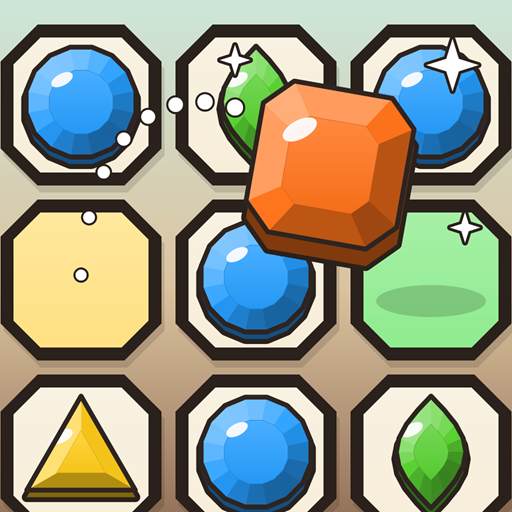
Drag a gem in a straight line over the gem next to it onto a free hole. The gem you jumped over leaves the board. No diagonals.
 Free to playAndroid · by Kerolite Games
Hop gems over each other, level them up and clear the board down to a single gem.
An old puzzle with a sparkly twist: every jump removes a gem and makes the jumping gem more valuable.
Drag a gem in a straight line over the gem next to it onto a free hole. The gem you jumped over leaves the board. No diagonals.
Every jump cuts the jumping gem into the next shape. Higher gems are worth more points, so plan which gem does the hopping.
The fewer gems are left when no jump is possible, the more stars you earn. One gem left means three stars, and if it ends in the centre, that's masterful.
In endless mode the board never runs dry: jump over a pentagon and it bursts, and five fresh gems drop onto free holes. How long can you keep hopping?
From a first little jump to the classic cross and the French board. Plus daily tasks, achievements, an undo for tricky moves and colourful designs for your gems and board. Play offline, no account needed.
Gem Hop is free to play. Optional purchases remove ads, double your coins or unlock premium designs.
Most questions are answered below. The settings open with the gear button at the bottom of the main menu (Options).
A jump goes in a straight line, up, down, left or right, over the gem directly next to yours, and must land on a free hole. Diagonal jumps and jumps over an empty hole don't work.
If you pick up a gem and put it back, nothing happens, so feel free to try.
Yes, once per board. When a round ends, tap Undo in the result window: after a short video your last jump is taken back and you play on from there. With “Remove ads” the undo comes without the video.
Endless mode opens after level 5. You find it at the bottom of the level page. Jump over a pentagon there and five new gems appear, so the board keeps going until no jump is left.
This can happen after reinstalling the game or on a new phone. Go to Options → Purchases → Restore purchases and tap Restore. The game asks Google Play for your purchases and unlocks them again.
Use the same Google account you bought with. The game also checks this by itself every time it starts.
Your progress is saved on your phone. If you are signed in to Google Play Games, the game also keeps a copy in your Play Games account and brings it back on a new phone when you sign in with the same account.
Without Play Games, uninstalling the game or clearing its app data deletes your progress, and we can't restore it. Purchases are never lost: restore them in Options → Purchases.
Go to Options → Game progress → Reset and confirm with Yes, delete. This deletes levels, stars, coins and the designs bought with coins. Purchases made with real money stay.
The win bonus is paid the first time you beat a board, and every new star pays extra. Once a board has three stars, replaying it gives points but no more coins. Endless mode always pays coins for your points.
In Options you find separate sliders for Music and Sound effects, a switch for Vibration and the Language. Changes are saved right away.
Close the game completely and start it again. Make sure it is up to date in Google Play and that your phone has some free storage. If it still happens, write to us with the details listed in the contact box.
Last updated: November 9, 2026
The controller responsible for data processing in Gem Hop and on this website is Kevin Albrich (Kerolite Games), Schwarzau 54, 8421 Schwarzautal, Austria, email: hello@kerolitegames.com. This policy explains what data the game and the website use.
You don't need an account to play. Your progress, coins, settings and purchases are saved on your device. We don't receive or store this data on our own servers.
If you are signed in to Google Play Games on your phone, Gem Hop uses it for two things:
Play Games is provided by Google Ireland Limited. You can sign out or manage your Play Games profile and its visibility in the Play Games app at any time. Without Play Games, the game works fully offline; only the backup and the leaderboard are missing.
Optional purchases (“Remove ads”, the coin doubler, premium designs and the starter pack) are handled by Google Play. We never see your payment details. Google Play tells the game only which items you own, so they can be restored on a new device.
The free version shows ads: from time to time between rounds, and as short videos you can choose to watch to undo a move or to double the coins of a round. Ads are delivered by Google AdMob (Google Ireland Limited, Google LLC). To show and measure ads, AdMob may use your device's advertising ID, your IP address, general device information (such as model, operating system and language) and how you interact with the ads.
If you are in the European Economic Area, the UK or Switzerland, the game asks for your consent before personalized ads are shown. If you don't agree, you may still see non-personalized ads. You can change your choice at any time in the game (Options → Privacy → Ad consent → Change). You can also reset or limit the advertising ID in your Android settings.
More on how Google uses this data: How Google uses information from apps that use its services and the Google Privacy Policy. After buying “Remove ads”, no more ads are shown between rounds, and undo works without a video.
We only show personalized ads with your consent (Art. 6(1)(a) GDPR), which you can withdraw at any time. Non-personalized ads and ad measurement are based on our legitimate interest in offering the game for free (Art. 6(1)(f) GDPR). Purchases are processed to fulfil the purchase contract (Art. 6(1)(b) GDPR). The Play Games backup and leaderboard are features you use by signing in to Play Games (Art. 6(1)(b) GDPR). We answer emails based on our legitimate interest (Art. 6(1)(f) GDPR).
Google and Cloudflare may also process data in the USA. Both companies are certified under the EU-US Data Privacy Framework; the European Commission's standard contractual clauses apply as well.
Your progress stays on your device until you uninstall the game or clear its data. The Play Games backup and your leaderboard entry stay in your Play Games account until you delete them there. Google keeps ad and purchase data according to its own rules. We delete emails to us once your request is settled, unless the law requires us to keep them.
This website is delivered by Cloudflare, Inc. When you open it, Cloudflare processes technically necessary data such as your IP address and browser information to deliver the page and protect it against attacks (Art. 6(1)(f) GDPR). The website sets no cookies, uses no analytics and loads no fonts from other servers. See the Cloudflare Privacy Policy.
You have the right to access, rectify and erase your data, to restrict its processing, to data portability, to object to the processing and to withdraw your consent. Just write to us at hello@kerolitegames.com. As Gem Hop keeps your progress on your device and in your own Play Games account, there is usually nothing we can hand out or delete; you can do that yourself in Android's app settings and in the Play Games app. You also have the right to lodge a complaint with a data protection authority; in Austria this is the Austrian Data Protection Authority (Datenschutzbehörde), Barichgasse 40–42, 1030 Vienna.
Gem Hop is not directed at children under 13 and we don't knowingly collect personal data from them.
We update this policy when the game or the law changes. The current version applies; its date is shown at the top.
Questions about this policy: hello@kerolitegames.com · Legal notice